

What Is a Pan Tilt Video Platform?

A Pan Tilt Video Platform combines remotely controlled camera movement, live streaming, recording, analytics, and system management in one operational layer. It can turn a fixed corridor view into a wider scene, then focus on a loading bay, entrance, or distant vehicle. That flexibility matters where one camera must cover several changing areas. Still, movement alone is not intelligence.

Grand View Research valued the global video surveillance market at USD 58.26 billion in 2023 and expects a 10.7% compound annual growth rate through 2030. MarketsandMarkets projects the market could reach USD 83.3 billion by 2028. These figures describe the wider surveillance sector, not only pan-tilt systems. They nevertheless show the pressure for scalable, connected video operations. As Ray Mauritsson, former CEO of Axis Communications, stated, “The future of security is connected, intelligent and sustainable.”

That future depends on practical details. A platform should support accurate pan and tilt control, stable low-latency video, role-based access, secure updates, and clear audit records. Operators need to follow a person across a courtyard without losing the scene. They also need reliable presets when weather, lighting, or network conditions change. Small delays matter.

It is not magic.

My own caution is simple: broader coverage can create more video, but not necessarily better decisions. Poor camera placement, weak retention policies, or noisy analytics can overwhelm staff. A credible Pan Tilt Video Platform therefore balances movement, evidence quality, cybersecurity, privacy, and human review. The strongest design is not the one with the most features. It is the one operators can trust during an ordinary shift and a difficult incident.
What Is a Pan Tilt Video Platform?

Definition and Core Purpose of a Pan-Tilt Video Platform

What Is a Pan Tilt Video Platform?

Definition and Core Purpose of a Pan-Tilt Video Platform

A pan-tilt video platform is a camera system that moves horizontally and vertically. It helps operators inspect wider areas without installing several fixed cameras. The core purpose is controlled visual coverage. An operator can follow activity, check equipment, or examine a doorway from a remote console. Smooth movement matters because sudden turns can lose a person or vehicle from view. In practical use, clear video, accurate positioning, and stable connectivity matter more than movement alone.

Many platforms support scheduled views, manual control, and event-based recording. A warehouse operator might save one view of a loading bay and another of a storage aisle. An experienced installer also checks lighting, mounting height, network delay, and access permissions. These details affect real performance. A platform can appear impressive during testing, then struggle under poor lighting or heavy network traffic. It is not magic. Blind spots remain, especially behind walls or near the platform’s mounting point.

Tips: Mount the platform above common obstructions, but avoid excessive height. Test movement at different speeds and lighting levels. Mark useful viewing angles before final installation. Keep access limited to trained personnel. Review recordings only for defined operational purposes. A rushed setup can create false confidence, so document what the platform cannot see.

Main Components and Movement Mechanisms

What Is a Pan Tilt Video Platform?

Main Components and Movement Mechanisms

A pan tilt video platform uses a movable camera head for broader scene coverage. Pan means horizontal rotation. Tilt means vertical adjustment. A motorized head carries the camera, housing, wiring, and drive gears. Encoders measure the viewing angle and support accurate preset positions. The controller converts joystick, software, or sensor commands into movement. This structure covers more area than a fixed camera, but blind spots still exist.

The main movement mechanisms include electric motors, gear assemblies, brakes, and position sensors. Pan movement rotates the platform around its base. Tilt movement raises or lowers the camera through a side-mounted pivot. Smooth acceleration reduces image shake and mechanical stress. In practice, calibration is rarely perfect. Dust, temperature changes, and cable tension can create small positioning errors. That small error matters during repeated monitoring. MarketsandMarkets’ 2024 Video Surveillance Market report projects the sector to reach 83.3 billion US dollars by 2028, growing from 53.7 billion dollars in 2023. This growth increases demand for reliable motion control, not merely higher resolution.

Tips: Install the platform on a rigid surface. Check the real viewing angle, not only the specification sheet. Set slower speeds near people and narrow structures. Test every preset after cable routing. Review maintenance records regularly. According to IEC 60255 testing principles, equipment performance should be checked under defined conditions. Field conditions are messier. Allow tolerance.

How Pan-Tilt Video Platforms Operate

What Is a Pan Tilt Video Platform?

How Pan-Tilt Video Platforms Operate

A pan-tilt video platform combines a camera, two-axis movement, control software, and network access. The pan motor turns the camera horizontally. The tilt motor moves it vertically. Together, they expand the viewing area without moving the entire mounting structure.

When an operator selects a direction, the control system sends movement commands to the platform. Sensors track the camera’s position and help prevent excessive rotation. Many systems also use preset views, allowing quick access to doors, corridors, loading areas, or outdoor zones. Speed control matters here. Slow movement supports careful inspection, while faster movement helps operators follow activity across a wide scene.

The camera captures light through its lens and converts the image into digital video. An onboard processor compresses that video before transmission. Network software then delivers the stream to a monitor, recorder, or approved mobile device. A stable connection reduces delay, but no network is perfect. Even a short interruption can make control feel unresponsive.

Practical testing should examine movement accuracy, video clarity, night performance, and recovery after connection loss. A platform may reach a target view, yet stop slightly off-center. That small error can hide important details. Regular checks of cables, mounting points, software settings, and time synchronization improve reliability. Clear user permissions also help protect recorded footage and limit unnecessary access.

What Is a Pan-Tilt Video Platform?

Pan-tilt video platforms use two motorized axes to position a camera. A typical system provides continuous horizontal pan coverage of up to 360 degrees and vertical tilt movement of approximately 90 degrees, allowing operators or automated software to scan a wide area and track subjects.

Common Applications Across Surveillance and Media

What Is a Pan Tilt Video Platform?
Common Applications Across Surveillance and Media

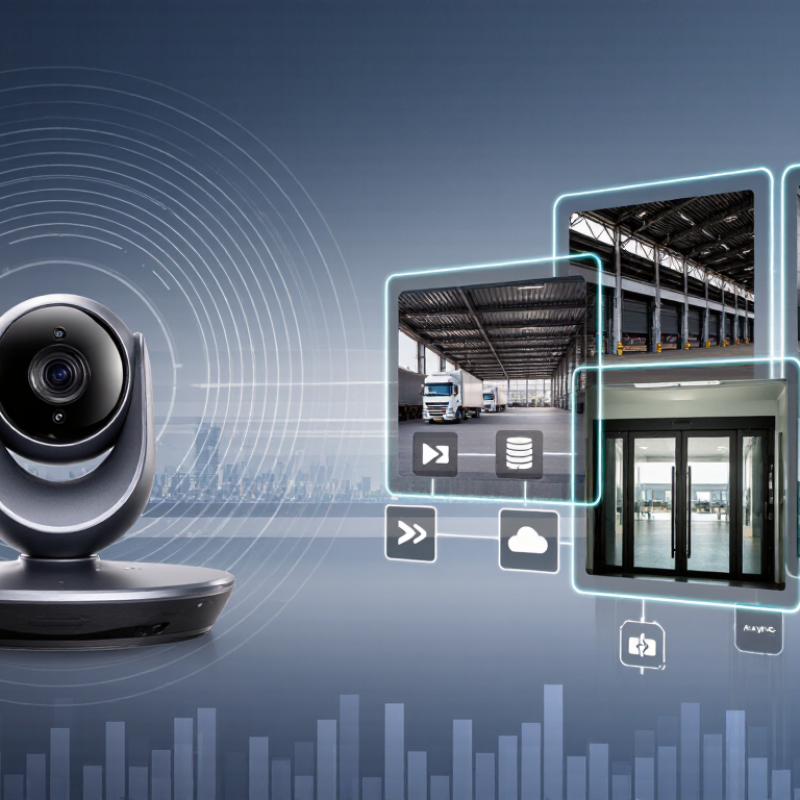
A pan tilt video platform combines a camera with controlled horizontal and vertical movement. Operators can adjust the viewing angle remotely, while preset positions support faster monitoring. In a warehouse, one camera may scan loading doors, storage aisles, and vehicle entrances. Clear labels and repeatable movements matter when several areas require attention. A small control delay can still affect a critical view.

Surveillance teams use these platforms in parking facilities, construction sites, campuses, and public venues. Useful features include motion tracking, low-light imaging, privacy masking, and weather-resistant housing. Privacy masking should be configured before daily operation, not added as an afterthought. Operators also need reliable network connections and a practical response plan. Automatic tracking looks impressive, but it may follow movement without understanding its meaning.

Media teams use pan tilt systems for live events, interviews, classrooms, and worship spaces. A remote operator can shift from a wide audience shot to a speaker’s close-up without moving a tripod. Preset framing helps maintain consistent composition during long broadcasts. Smooth acceleration is important because sudden motion distracts viewers. Audio coordination matters too; a perfect image cannot repair poorly placed microphones.

In real installations, lighting changes, reflections, and crowded scenes create imperfect results. Equipment may need manual correction. Testing during daylight and evening conditions reveals problems that specifications often hide. A dependable platform is therefore not only about range or resolution. It also depends on careful setup, trained users, and regular review of how the footage is actually used.

What Is a Pan Tilt Video Platform? - Common Applications Across Surveillance and Media

Dimension What It Means Common Surveillance Use Common Media Use Typical Considerations
Basic Definition A motorized platform that remotely moves a camera horizontally and vertically. Allows operators to inspect multiple areas from one camera position. Provides adjustable framing for presenters, stages, studios, and live events. The platform may support a fixed camera, a network camera, or a camera with an integrated lens.
Pan Range The horizontal rotation range of the camera platform. Wide or continuous pan movement can help cover entrances, yards, corridors, and large open spaces. Supports smooth horizontal tracking of performers, speakers, vehicles, or sporting action. Actual coverage depends on mounting position, obstructions, lens angle, and programmed limits.
Tilt Range The vertical movement range used to aim the camera upward or downward. Helps monitor areas at different elevations, such as stairways, loading zones, and building facades. Enables low, eye-level, and elevated shots without physically repositioning the camera. Tilt limits should be configured to avoid ceilings, floors, lighting equipment, or restricted areas.
Movement Speed The rate at which the platform changes position. Low-speed movement is useful for deliberate observation, while higher speeds can follow rapidly changing activity. Variable speed supports both cinematic repositioning and fast transitions between shots. Smooth acceleration and deceleration reduce image shake and motion distraction.
Remote Control Control through a wired interface, network connection, serial protocol, or compatible controller. Operators can change viewing direction from a security room or remote workstation. Camera operators can adjust framing while remaining away from the stage or production area. Control compatibility, network reliability, latency, and access permissions affect usability.
Preset Positions Stored pan, tilt, and sometimes zoom positions that can be recalled quickly. Useful for returning to gates, checkpoints, equipment zones, or other priority areas. Speeds up repeatable shots for presenters, interview locations, and event segments. Presets should be tested after installation because furniture, lighting, or set layouts may change.
Tracking Support The ability to follow a moving subject manually or through integrated automation. Can assist with monitoring people, vehicles, or objects moving through a defined area. Helps maintain a subject within the frame during presentations, performances, and demonstrations. Tracking performance depends on lighting, subject contrast, movement speed, occlusion, and software configuration.
Video Resolution The number of pixels captured and delivered by the attached camera. Higher resolution can improve identification detail when lighting, focus, and viewing distance are suitable. Higher resolution provides flexibility for cropping, reframing, and displaying content on large screens. Resolution alone does not guarantee clarity; bitrate, lens quality, focus, compression, and lighting also matter.
Low-Light Capability The camera system’s ability to produce usable video in dim conditions. Important for night monitoring, parking areas, transport facilities, and perimeter observation. Supports studio, theater, venue, and outdoor production environments with changing illumination. Infrared, visible-light, or supplemental lighting may affect color accuracy and scene appearance.
Installation Environment The physical location and conditions in which the platform operates. Outdoor installations may require weather resistance, corrosion protection, and secure mounting. Indoor installations often prioritize quiet operation, compact design, and compatibility with production equipment. Check load capacity, vibration, temperature, moisture, cable routing, and maintenance access.
Primary Benefit One remotely adjustable camera position can serve multiple viewing or framing requirements. Improves situational awareness while reducing the need for a separate fixed camera at every angle. Enables repeatable, flexible shots and reduces the need to physically move camera equipment. A pan tilt platform complements rather than completely replaces fixed cameras, especially where continuous coverage is required.

Key Features, Benefits, and Selection Considerations

What Is a Pan Tilt Video Platform?

A pan tilt video platform supports cameras that move horizontally and vertically. It helps operators inspect wide areas without installing several fixed cameras. Useful features include smooth motor control, optical zoom, preset positions, motion tracking, and low-light imaging. Some systems also provide two-way audio, event alerts, and secure remote access. A clear control interface matters during a busy monitoring shift.

The benefits are practical. One camera can follow activity across a loading area, hallway, or outdoor gate. Preset views can reduce response time when an alarm appears. High-resolution video supports closer inspection, while stable movement prevents distracting image jumps.

However, performance depends on network quality, lighting, camera height, and operator training. I have found that impressive specifications do not always produce useful footage. A camera may zoom far, yet show unclear details in poor light.

Tips: Test the platform at the actual installation site. Check movement speed, viewing angles, night performance, and delay. Confirm whether users can set different access permissions. Review storage capacity and data protection controls. Ask about maintenance, firmware updates, and compatibility with existing equipment. A simple interface is often more valuable than extra features. Leave room for mistakes. Operators may choose the wrong preset during pressure, so physical controls and clear labels can prevent avoidable errors.

Skip to content